How to Swap Crypto in Phantom: Solana and Cross-Chain Steps

Phantom can exchange supported tokens within one network and handle selected exchanges between blockchains. Start by identifying the balance you own and the asset you want to receive: USDC on Solana to SOL is a different operation from Bitcoin to a Solana wallet.

Check the networks and receiving amount before confirming. A token appearing in your portfolio does not guarantee that a trading provider can find a usable exchange for it.

Hand holding a smartphone with a crypto wallet app

Choose the Right Balance Before Opening a Quote

A wallet can display similarly named assets held on different blockchains. Open the actual holding you intend to spend, rather than choosing a ticker from memory.

When Both Tokens Are on Solana

An exchange such as USDC to SOL stays within the same blockchain. Your balance moves from a token account into the network coin used for fees and other wallet actions.

If your aim is simply to fund the next transaction, compare the amount required for that action with what the swap would return. Converting your entire stablecoin balance may be unnecessary.
When the Receiving Asset Uses Another Network

A BTC or ETH exchange may involve a provider that processes the transfer between blockchains. Review the destination shown in the quote; changing an address alone does not change the receiving chain.

For an alternative exchange flow, you can review exchanging Ethereum for SOL. Use the same sending amount when comparing options.

Follow the Instructions for Your Device

The mobile app and extension use different entry points. Labels can change between releases, so confirm the payment method on the final review screen.

Mobile App

  1. Open the Trade view from the plus button.
  2. Choose the holding to spend under You Pay.
  3. Select the token to receive under You Receive.
  4. Enter an amount.
  5. Review the networks, receiving amount and charges.
  6. Confirm after checking the payment method.

If you begin with Buy or Sell from a token screen, check whether Cash was selected automatically. Select the crypto balance you actually intended to use.

Browser Extension

  1. Open Swap from Home.
  2. Select the sending and receiving assets.
  3. Set the amount.
  4. Inspect the quote and available settings.
  5. Approve only the operation you recognise.

A successful confirmation should produce a transaction record. Keep that record before closing the interface.

Check Bitcoin Address Compatibility

Bitcoin exchanges have additional address and confirmation requirements. A disabled option may reflect a provider's supported combination, rather than a broken wallet.

Phantom supports Native SegWit and Taproot addresses. When receiving BTC after a swap, inspect both address balances if the expected total is missing; a provider may have delivered to the other supported type.

The displayed countdown does not remove Bitcoin confirmation time. Follow the transaction record and provider status instead of assuming a short timer means completion.

Tablet with a crypto wallet app on a desk

Read the Cost Without Confusing Slippage and Price Impact

The receiving estimate reflects more than a chart price. A trade can have a wallet service charge, blockchain costs and an effect on the available trading price.

ItemWhat to inspect
Service chargeThe charge displayed for this operation; exceptions depend on the flow
Network costThe source and, where applicable, destination costs
Price impactHow trading this amount affects available liquidity
Slippage toleranceThe execution difference you are willing to accept

Phantom's published standard fee for most swaps is 0.85%, checked on 12 October 2026. Review the actual preview because some operations follow different terms.

Increasing slippage tolerance does not improve a poor quote. It permits execution further away from the original estimate; a smaller amount may reduce price impact, but splitting a trade can add charges.

What Gasless Means When You Have Little SOL

Eligible Solana operations can cover the network cost through the token involved. The fee still exists; the wallet arranges its payment rather than requiring a separate spendable SOL balance.

Availability depends on the token, amount and settings. If the preview does not offer this option, fund the network coin or reduce the amount where appropriate. The Solana fee breakdown explains why an ordinary transfer and a sponsored operation behave differently.

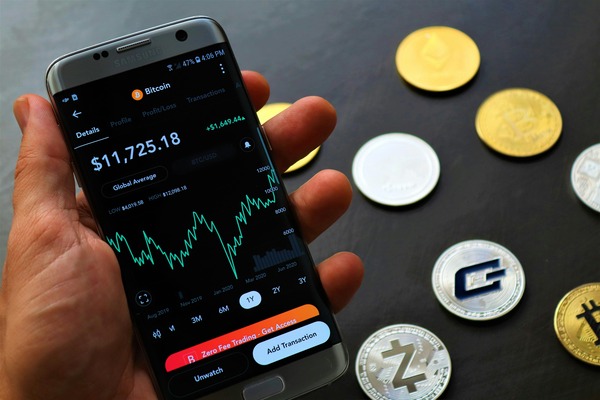
Hand holding a phone with a price chart near coins

Diagnose the State Before Trying Again

A failed preview, a pending transfer and missing display data need different responses. Check History first so a retry does not become a second payment.

No Quote or Failed Simulation

Confirm the asset identity, supported networks and trading liquidity. Requesting a smaller amount can reveal whether trade size is the problem; it does not remove a frozen token's restrictions.

Update the app if errors affect several unrelated assets. For an unfamiliar holding, use the token and network checklist before following links supplied with it.

Source Transfer Pending

Locate the source transaction and wait for its actual status. For a cross-chain exchange, also inspect the provider's progress after the source confirms.

Do not start another transfer simply because the interface stopped updating. Record the identifier and check whether processing is continuing outside the wallet.

Completed, but the Balance Is Missing

Check the receiving account, blockchain and exact token. Bitcoin may require viewing another address type; a Solana token may be hidden or absent from the default display.

If those details agree, collect the transaction reference, app version, error text and steps already tried. Share diagnostic logs only through the official support channel, and never disclose recovery words or private keys.

FAQ

These answers cover supported wallet operations and situations outside the device instructions. Check the asset, network and transaction status before acting on an exchange that is already in progress.

Does Phantom Accept BNB for Every Swap?

Do not assume a BNB-labelled holding establishes support for an exchange. Check the network and the available quote in your current app; token visibility and provider availability are separate questions.

Can I Swap BTC for SOL in Phantom?

Phantom offers supported Bitcoin cross-chain exchanges, subject to provider and address compatibility. If no offer appears, check the BTC address type and destination rather than sending funds to an improvised address.

Why Does a Wallet Say Not Enough SOL When I Own Tokens?

A token balance does not automatically cover an ordinary network fee. The operation may need spendable SOL unless a supported fee-payment alternative is offered.

Is a Failed Simulation a Charged Transaction?

A rejected preview alone does not establish that a transaction reached the blockchain. Look for a signature or hash and inspect its status before deciding whether anything was charged.

Is Phantom the Same Service as sol-swap.io?

They are independent services with different interfaces and processing providers. You can use a compatible receiving wallet with our Solana crypto exchange, but that does not make the wallet and exchange one operator.